
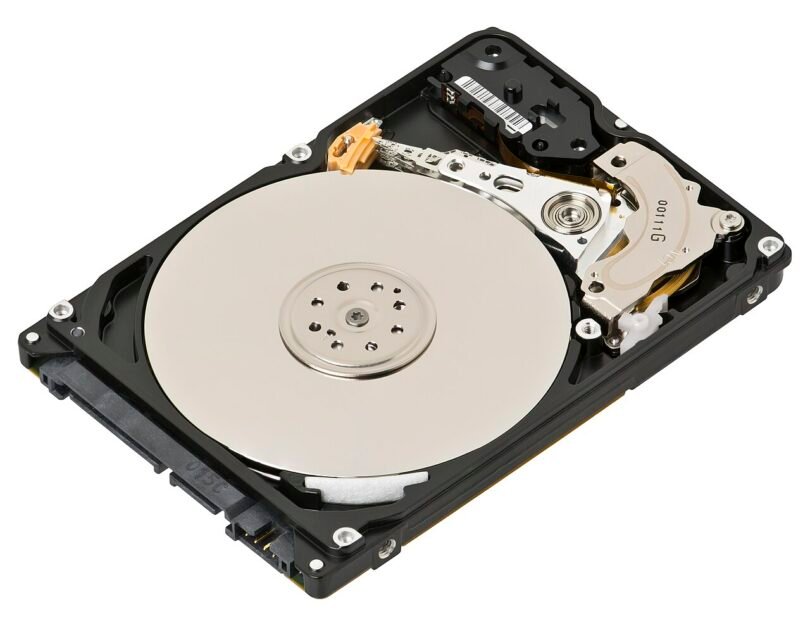
Every photo, document, game save, and business file you own ultimately lives on a storage drive, and drives rarely fail without warning. Long before a hard disk starts clicking or an SSD refuses to boot, the drive itself records falling health in its internal diagnostics. The problem is that Windows and macOS do not surface most of that information in a friendly way. Hard Disk Sentinel is a monitoring utility built to close that gap: it reads the self-diagnostic data your drives already collect, turns it into clear health scores, and warns you while there is still time to back up and replace a failing disk.
What Is Hard Disk Sentinel?
Hard Disk Sentinel is a hard disk and SSD monitoring and analysis application for Windows, with a command-line version available for Linux and a bootable option for DOS. It supports internal and external drives connected through SATA, NVMe, IDE, SCSI, USB, and many RAID controllers, including drives inside NAS enclosures and memory cards. Instead of waiting for a drive to disappear from your system, the program watches it continuously from the system tray and keeps a running record of its condition.
The software is developed by HDSentinel, and it comes in a free trial as well as Standard and Professional editions. The Professional version adds scheduled and automatic backup functions, a system-status API for remote monitoring, and more advanced alerting, which makes it popular with IT administrators who look after many machines at once.
Key Features
S.M.A.R.T. Monitoring
Almost every modern drive implements S.M.A.R.T. (Self-Monitoring, Analysis, and Reporting Technology), a set of attributes that track things like reallocated sectors, spin-up time, seek errors, and, on SSDs, wear level and total bytes written. Hard Disk Sentinel reads all of these attributes, explains in plain language what each one means for your specific drive model, and flags the values that matter instead of leaving you to decode raw hex numbers.
Temperature Monitoring and Alerts
Heat shortens the life of both spinning disks and flash memory. The program displays the current, daily average, and maximum temperatures of every drive, draws temperature history graphs, and can alert you by sound, on-screen message, or email when a drive runs too hot or its health drops below a threshold you choose. For a server or a PC that runs unattended, an automatic shutdown option can protect data when temperatures become critical.
Health and Performance Percentages
The signature display of Hard Disk Sentinel is a pair of simple percentages. Health reflects the drive’s overall condition based on its S.M.A.R.T. attributes, while performance reflects how well it is currently operating. A new drive sits at 100 percent; as problems such as weak sectors appear, the health figure falls and the program estimates the expected remaining lifetime in days, giving you a realistic window for planning a replacement rather than a vague warning.
Disk Tests, Benchmarks, and Reports
Beyond passive monitoring, the software includes surface tests that scan every block of a disk to find slow or damaged areas, read and write benchmarks that measure real transfer speeds, and a built-in data-protection self-test. Detailed text reports summarize model, firmware, power-on time, and status for each drive, and they can be saved, emailed, or exported for record keeping.
How It Works
After installation, Hard Disk Sentinel runs quietly in the background and polls each drive at an interval you set. It combines the S.M.A.R.T. data with temperature readings and its own analysis tuned per drive family and manufacturer, because the same attribute value can be harmless on one model and serious on another. When something changes, the event is logged: you can open the main window days later and see exactly when a drive’s health first dropped, which makes troubleshooting intermittent problems far easier.
Getting Started
Getting started takes only a few minutes. Download and install the program, and on the first launch it immediately scans all connected drives and shows their health, performance, and temperature on the main screen; no configuration is required for a basic overview. From there, it is worth opening the configuration window to set your alert thresholds, choose which events trigger an email, and, in the Professional edition, schedule automatic backups that start when a drive’s health falls. Checking the status window once a week, or simply glancing at the tray icon temperatures, is enough for most home users.
Who Should Use It?
Home users rely on it as an early-warning system for the family PC and for external backup drives that would otherwise fail silently. Photographers and video editors use it to watch the large drives that hold their archives. System administrators deploy the Professional edition across workstations and servers, collecting status centrally through its web and API interfaces. Even if you already keep backups, knowing a drive is deteriorating lets you replace it on your schedule instead of during a crisis.
Frequently Asked Questions
Is Hard Disk Sentinel free?
There is a free trial version with monitoring basics. The Standard and Professional editions are paid, one-time licenses, and the Professional edition unlocks the advanced alerts, scheduled backups, and remote monitoring features.
Does it work with SSDs and NVMe drives?
Yes. It fully supports SSDs and NVMe drives, reading attributes such as wear level, total writes, and media errors, and it interprets them differently from spinning-disk attributes so the health percentage stays meaningful.
Can it repair a failing drive?
No monitoring tool can fix worn-out hardware. Its disk tests can sometimes isolate weak sectors, but the real value of the program is warning you early enough to copy your data to a healthy drive.
Does it slow down the computer?
The background monitoring is lightweight and polls drives at intervals rather than constantly, so on a typical system its impact on performance is negligible.
Conclusion
Storage failures are one of the few computer problems that can destroy something irreplaceable, yet they are also among the most predictable. Hard Disk Sentinel turns the diagnostics your drives already record into clear health percentages, temperature tracking, and timely alerts, for a single laptop drive or a room full of servers. If your data matters to you, installing it and checking hdsentinel.org for the edition that fits your setup is one of the cheapest forms of insurance your PC can have.





Leave a Comment